860-829-2244
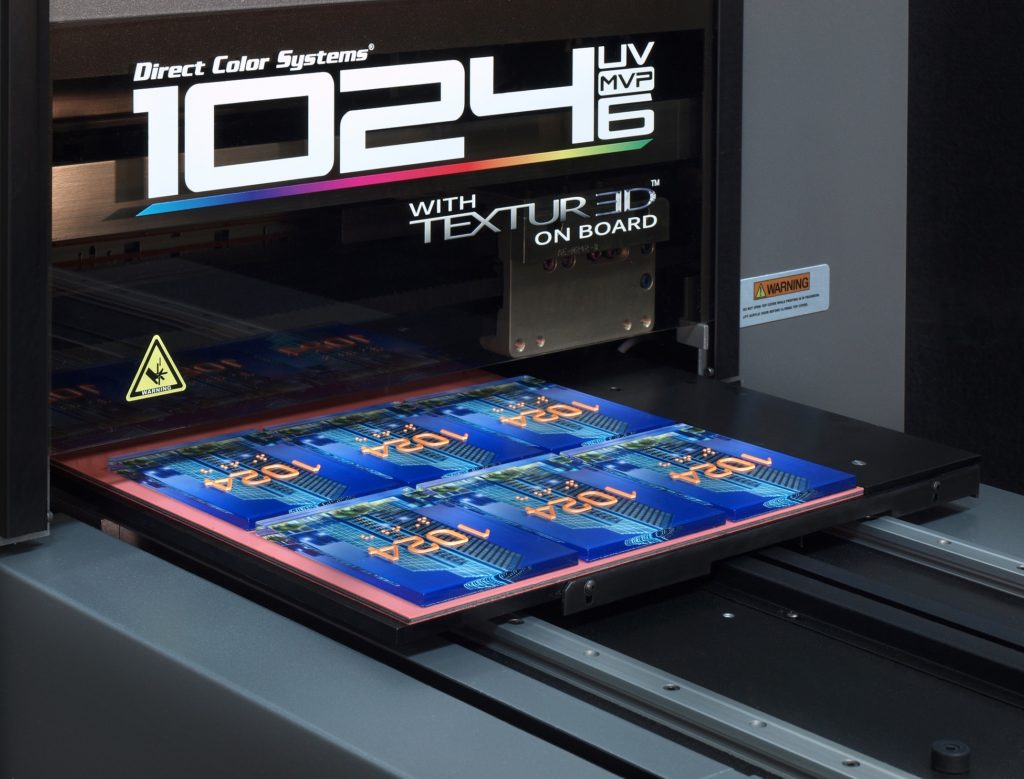
Acrylic sign printing is the process of jetting UV-curable ink straight onto an acrylic sheet and curing it under UV LED light in the same pass. The panel comes off the bed dry. There are no screens to reclaim, no transfer film and no laminate, and on a Direct Color Systems flatbed there is no precoating and no high-temperature curing before the ink goes down.
That changes what a sign shop can quote. Room identification, wayfinding, donor panels, menu boards, retail signage and award plates all run on the same machine, one piece at a time, with the hundredth panel matching the first.
What goes onto an acrylic sign
Four things, and any combination of them in a single job: full-color CMYK, opaque white, a clear layer, and raised texture. Direct Color Systems, of Rocky Hill, Connecticut, builds the Direct Jet UV LED flatbeds that print directly onto acrylic awards, plaques, signage and print-to-cut objects, and the company's own description of the process is plain about what it skips: "Precoating and high-temperature curing are not required." The same machines handle acrylic awards and plaques, so a shop that buys for signage gets the recognition work with it.
Colored, frosted and mirrored acrylic all behave differently under ink, and so does the same clear sheet printed on opposite faces. That is the first decision.
First surface or second surface
First surface means the ink sits on the face the viewer touches. It is the right choice when the sign needs raised copy, braille, or a texture a hand can read.
Second surface means printing on the back of a clear sheet, so the image is read through the acrylic. The sheet itself becomes the protective layer over the print, and DCS describes the effect as "reverse printing on the back side to give your acrylic pieces added depth." For ADA work, DCS states that its braille sign printers "offer users the unprecedented option of either first-surface or second-surface graphics when creating raised-texture signage on acrylic substrates."
Second-surface work is two jobs, not one. The back-face image has to be flipped so it reads correctly through the sheet, and the blank has to return to the same point on the table for the second pass. DCS has written the sequence out step by step, including mirroring the second-surface image and priming it in Color Byte, with auto-feed on so the table returns to print home between the prime pass and the color pass.
What acrylic needs before it takes ink
Less than most people expect, and more than nothing. DCS UV LED inks bind to many substrates with no pre-coating. For ADA signage specifically, DCS names standard cast acrylic used with its Adhesion Promoter as a qualifying material, alongside InkMark™ UV metal matte-finish substrates.
The company's own caveat is the one to repeat to a customer: "Other substrates can be used but will require testing for compliance and/or receptivity and adhesion by the end-user." Extruded sheet, cell-cast sheet, a colored lot from a different supplier and a sheet that has sat in a warehouse for a year are not interchangeable. Print the stock you intend to sell, let it cure, then try to lift the ink with a thumbnail and with tape before you quote a run. The same discipline applies across the plastics family, and the guide to printing on plastic covers which promoter DCS recommends for which material.
Why white ink decides how the sign reads
On clear and colored acrylic, white is not a color choice. It is the layer that makes every other color accurate. DCS puts it this way: with its UV LED printers you "create images and text in a genuine opaque white or use the white as a primer for crisp, vibrant images on clear and colored acrylic."
Two uses, then. White printed alone gives you copy and logos that hold up against a window, a dark wall or whatever is behind a clear panel. White printed as an underbase sits beneath the CMYK so the artwork reads as the file you sent rather than the file plus the sheet. A clear coat option is available on top for added durability.
Raised letters and braille on the same panel
This is where acrylic sign printing stops being a graphics job and becomes a compliance job. DCS holds patents on its UV printing process for ADA-compliant signage, and the practical result is that the background, the raised letters and the braille dots all come off one machine in one operation. DCS states that standard 6″ x 8″ signs "can be output in less than 2 minutes, with a full digitally printed background, raised letters, and Braille dots." The process runs on cast acrylic with the DCS Adhesion Promoter, driven by Color Byte software with the add-on ADA module. Details sit on the ADA-compliant braille sign printer page.
The raised work itself is TEXTUR3D™. Rather than running separate passes for clear, white and color, the RIP drives three groups of print head channels and lays down two or three of them simultaneously, inline, in a single pass. That is what makes a tactile character or a braille dot a print operation instead of a second process with applied letters and drilled beads. The TEXTUR3D textured printing page shows the same technique on plastics, acrylic, wood and metals.
Acrylic sign printing
Four numbers that shape the job
Quoted from Direct Color Systems product pages
Under 2 min
A standard 6″ x 8″ ADA sign: printed background, raised letters and braille dots
1 pass
TEXTUR3D prints clear, white and color channels inline instead of in separate passes
3 patents
U.S. 10,029,487, 9,757,961 and 9,498,977 cover the DCS braille printing process
12 in
Thickest stock the UV-32MP, UV-44DTS and UV-84DTS Gen2 accept
Blanks, sheet sizes and award work
Signage usually starts from sheet, but recognition work starts from a shape. DCS supplies laser-cut acrylic blanks through its partner Artplak, from 9 square inches up to 48 square inches, in 3/8″, 1/2″ and 3/4″ thicknesses, with custom sizes cut on request and a ten-piece minimum on the Imagine Line. The AWE line runs thinner, from 1/8″, for place cards, table numbers and ornaments. Codes and sizes are listed on the acrylic blanks page.
What that color looks like on a finished piece is a fair question, and DCS has one answer that is hard to argue with: a 1024UVMVP4 was used to add the color elements to the 2016 IIHF World Hockey Championship medals now worn by NHL players.
Not every recognition job wants plastic. When a customer asks for something that is not acrylic, DCS also stocks organic bamboo and recycled wood plaque blanks — FSC-certified bamboo and sustainable MDF in sizes from 5″ x 7″ up to 13″ x 17″ — which run on the same Direct Jet printers as long as the bed takes the plaque.
Which Direct Jet printer fits the signs you make
Bed size and Z-axis clearance decide this, not resolution. Measure the largest acrylic panel you cut today, then the thickest piece you currently turn away.
UV-21MP, small format
A 17″ x 24″ (44 x 61 cm) print area with fully adjustable height for stock up to 7″. The machine for name plates, small room signs, desk wedges and award blanks in a shop with no floor space to give up. UV-21MP specifications.
UV-32MP, intermediate format
A 24″ x 36″ (60 x 90 cm) print area and a descending table that takes stock up to 12″ — the same clearance as the two large machines, in a bench-sized footprint. Choose it when the acrylic is thick or assembled rather than wide. UV-32MP specifications.
UV-44DTS, medium format
A 4′ x 4′ (130 x 130 cm) print area, 12″ of Z-axis height, Ricoh Gen6 industrial printheads on a double gantry, and pin registration so a repeat order lands in the same place as the original. UV-44DTS specifications.
UV-84DTS Gen2, wide format
A 4′ x 8′ (120 x 243 cm) print area with the same 12″ of Z-axis height, Ricoh Gen6 printheads, double gantry and pin registration. This is the model for full-sheet acrylic signage, where the sheet rather than the part sets the size. UV-84DTS Gen2 specifications.
Frequently asked questions
Can you print directly on acrylic without a coating?
For most finished acrylic, yes — DCS UV LED inks bind to many substrates with no pre-coating. For ADA signage DCS specifies cast acrylic used with its Adhesion Promoter, and says any other substrate has to be tested by the end user for receptivity, adhesion and compliance.
Should an acrylic sign be printed on the front or the back?
Front, when the sign needs raised copy or braille a hand can read. Back, when the sign is a flat graphic behind clear acrylic and you want the sheet protecting the ink. DCS printers support either on acrylic.
Do you need white ink on clear acrylic?
Almost always. White printed alone gives opaque copy against whatever sits behind the panel, and white printed as an underbase keeps the CMYK above it reading as the file you sent.
How long does an ADA acrylic sign take to print?
DCS states that a standard 6″ x 8″ sign is output in less than 2 minutes, with the background, raised letters and braille dots all printed in the same operation.
How thick a piece of acrylic can a flatbed print?
Up to 7″ on the UV-21MP, and up to 12″ on the UV-32MP, UV-44DTS and UV-84DTS Gen2. Height is adjustable on all four, so a 1/8″ sheet and a 3/4″ award block run on the same machine.
Next step
Send the acrylic you actually run. DCS prints a sample on your own stock, which settles the adhesion and color questions before any printer is specified. Request one from the UV printing application page, or compare bed sizes and Z heights across the flatbed UV printer range.
Always test new substrates for image accuracy and durability.