860-829-2244

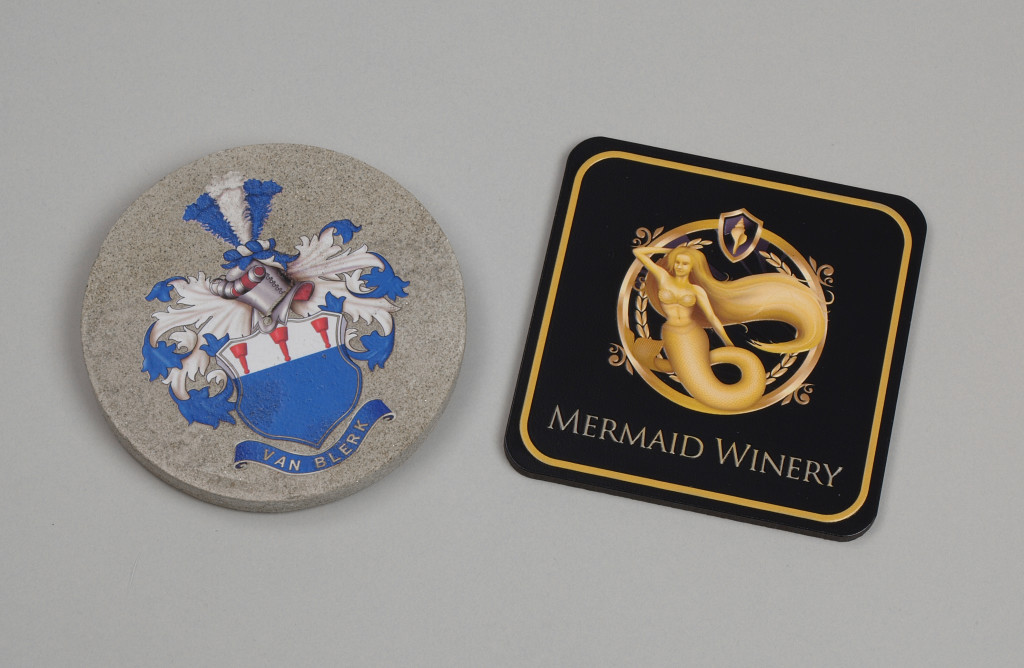
To print on ceramic tile, you set the finished tile on a flatbed UV-LED printer, jet ink straight onto the glazed surface, and cure it on contact with UV light. Full-color art, logos, and text bond to the tile without a kiln, transfer paper, or a second firing. That is the whole process, and it is why a sign shop, a promotional-products maker, or an industrial manufacturer can decorate tile in-house in short runs instead of sending it out. On the tile printing application page, Direct Color Systems describes printing "full-color, photo-quality images, logos and text directly onto ceramic and stone tiles," with ink that is "instantly cured" for "high heat tolerance and abrasion resistance."
This guide covers the process step by step, which tiles and hard surfaces accept the ink, how UV-LED curing behaves, how the same machine produces ADA and braille signage, and how to match a printer to your tile size and run volume. No invented specifications appear here: every capability is drawn from Direct Color Systems product pages or from cited third-party sources.
Key Takeaways
- Printing on ceramic tile means jetting UV ink onto the finished, glazed tile and curing it instantly with UV-LED light. No kiln and no glaze firing are involved.
- A peer-reviewed study reports that UV-LED curing uses 50 to 75 percent less energy than an equivalent mercury arc lamp and suits heat-sensitive materials because it generates less heat.
- The same technology prints raised, tactile output, which is how it produces ADA-compliant signage. The ADA Standards require tactile characters raised at least 1/32 inch and Grade 2 braille.
- Direct Color Systems builds a range of UV-LED flatbed printers, from the small-format UV-21MP to the large-format UV-84DTS Gen2 and the 7200z, so the right machine depends on tile size and run volume.
- The buyer decision is application-first: request a sample print on your own tile, then book a web demo to confirm fit before you invest.
How to print on ceramic tile: the process
Printing on ceramic tile is inkjet printing that uses UV-curable ink and a UV-LED light source to fix that ink to the rigid, glazed surface in a single pass. Because the ink cures the instant it is exposed to the light, the printer can lay color onto a non-porous surface like glazed ceramic without the drying, absorption, or firing steps that other decoration methods need. A peer-reviewed review of UV-LED curing notes that the approach "has combated several drawbacks related to conventional UV-mercury," including its energy draw and heat output, per the analysis published in the journal article on PubMed Central.
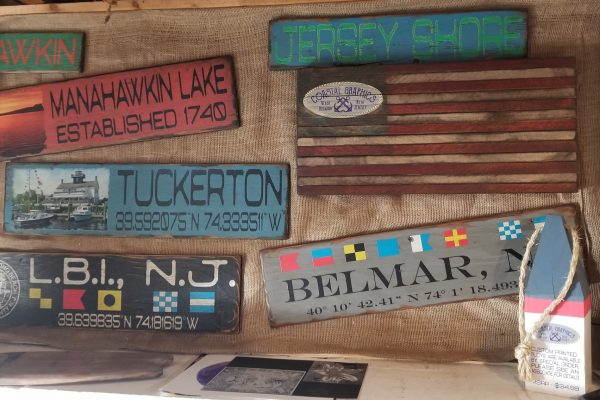
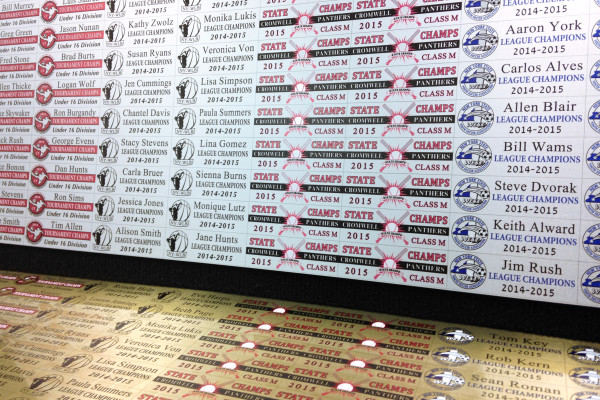
This is worth separating from factory ceramic decoration. Mass-produced patterned floor and wall tile is typically decorated with ceramic inks that are fused into the glaze at high kiln temperatures. Printing on ceramic tile this way is a surface process for finished tiles: it prints on the tile you already have, on demand, in short runs, which is exactly what a custom shop, an awards and recognition maker, or an ADA sign producer needs. Direct Color Systems groups tile alongside its other rigid substrates on the tile printing page, naming stone coasters, trivets, and custom tile designs as typical output.
Which tiles and hard surfaces can you print on?
Ceramic, porcelain, and stone tiles are the core surfaces, and the same flatbed handles many adjacent rigid materials. Direct Color Systems states that its UV-LED process prints directly onto "ceramic and stone tiles," and that the cured result carries "high heat tolerance and abrasion resistance," which matters for coasters, trivets, and signage that get handled, heated, or cleaned. Because the ink sits on and bonds to the surface rather than soaking in, the finish stays crisp on dense, glazed tile.
The reason this application rarely stands alone is that a UV-LED flatbed is substrate-flexible by design. The company's textured-printing capability lists compatible materials as "plastics, acrylic, wood, metals and much more," and it maintains dedicated pages for related hard surfaces such as glass printing. For a buyer, that flexibility is the point: one machine that prints tile can also print glass awards, acrylic plaques, wood signage, and metal plates, so the tile job is one line in a much larger product catalog rather than a single-purpose purchase.
How UV-LED curing works on ceramic tile
UV-LED curing fixes ink to tile the moment it lands, and it does so with markedly less energy and heat than the older mercury-lamp approach it replaced. The peer-reviewed review of UV-LED curing reports that "UV-LED consumes 50-75% less energy than the equivalent mercury arc lamp" and that "UV LED is suitable for curing heat-sensitive materials because of lower heat generation," according to the study on PubMed Central. Lower heat protects sensitive substrates and keeps the print head environment stable; instant cure means the tile comes off the bed dry, stackable, and handle-ready.
There is an environmental and workflow angle too. Traditional UV curing relied on mercury-vapor lamps, and mercury is a material that has to be managed carefully at end of life. The U.S. Environmental Protection Agency explains that recycling mercury-containing lamps "prevents the release of mercury into the environment," because those lamps "often break when thrown into a dumpster, trash can or compactor, or when they end up in a landfill or incinerator," as stated on the EPA lamp recycling page. The same peer-reviewed review notes that a "UV-LED system is safer due to the abolition of unsafe mercury and extraction of ozone." For a shop weighing running costs and facility requirements, mercury-free curing removes a disposal liability while cutting the energy bill.
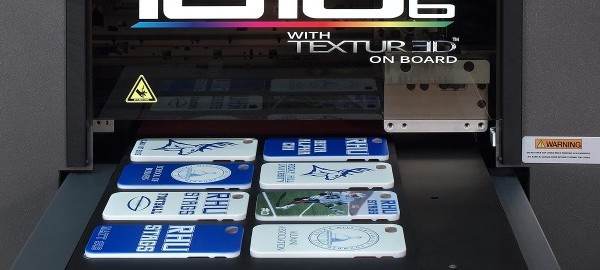
Two more capabilities matter on tile specifically. White ink lets the printer lay an opaque base so color reads correctly on dark or colored tile, and Direct Color Systems can print raised texture in the same pass. Its TEXTUR3D process delivers "remarkable single-pass, raised-texture options," printing "any combination" of channels "simultaneously, inline in a single pass," as described on the textured printing page. That single-pass raised print is the foundation for tactile and ADA work.
Printing ADA-compliant and braille signage on tile
ADA signage has to be tactile, and UV-LED printing is one of the cleanest ways to produce it because it can raise characters and braille in the print itself. The U.S. Access Board's guide to the ADA Standards states that tactile characters must be "raised 1/32 inch minimum" above their background (Section 703.2), fall within a character height range of "5/8 inch to 2 inches," and be accompanied by "contracted or Grade 2 braille" (Section 703.3), with signs mounted between 48 inches and 60 inches to the baseline of the characters (Section 703.4), per the Access Board guide to signs.
Direct Color Systems produces this output directly. Its TEXTUR3D raised printing runs inline in a single pass, and the company lists "ADA-Compliant Braille Sign Printers (Patented)" as a distinct application. Printing the raised characters, the braille, and the visual copy in one process on a durable tile or hard-surface blank removes the separate raster, insert, and assembly steps that older ADA sign making required. For a sign shop, that means ADA plaques and room signage become a same-shop product line rather than a subcontracted one. The textured printing page is the starting point for that capability.
What the ADA asks of a tactile sign
Three requirements a printed tile sign has to clear
A tile can carry a compliant sign, but only if the raised copy hits the standard. These are the dimensions an inspector measures.
1/32 in
minimum height tactile characters must be raised above their background
5/8-2 in
the permitted character height range
Grade 2
contracted braille must accompany the raised characters
Which Direct Color Systems UV printer fits your tile work?
The right printer depends on tile size and run volume, and Direct Color Systems builds a Direct Jet UV-LED range that spans small to large format. Named lines include the small-format UV-21MP, the intermediate UV-32MP, the medium-format UV-44DTS, the large-format UV-84DTS Gen2, and the 7200z, which the company calls "the largest and most versatile printer" it has released, on the UV-LED printers page. The VIBRAHue and ChromaSphere lines extend the family further; the VIBRAHue page covers that model directly.
Choosing among them is an application question, not a spec-sheet contest. A shop personalizing coasters and small plaques has different bed-size and throughput needs than a manufacturer marking larger panels or running batches of ADA signage. Rather than commit on paper, the practical path is to request a sample print on your own tile and material, then book a web demo to see the workflow, the white-ink and texture behavior, and the fit for your parts. That same flatbed flexibility also supports adjacent revenue such as UV DTF transfers for curved or awkward items a flatbed cannot hold.
In-house UV printing versus outsourcing tile decoration
Bringing UV printing in-house turns tile decoration into an on-demand, short-run capability instead of a minimum-order outsourcing job, and the economics of UV-LED make that shift practical. Because UV-LED curing uses 50 to 75 percent less energy than a mercury arc lamp and needs no kiln, the per-piece overhead of a one-off custom tile drops to something a shop can actually quote profitably. There is no firing schedule to batch around and no mercury-lamp disposal to manage, which the EPA flags as a genuine end-of-life concern for older lamp technology.
The strategic gain is control. In-house UV printing lets a business proof, revise, and produce a personalized tile, an ADA sign, or a branded coaster in a single afternoon, without shipping artwork out and waiting on a vendor's production calendar. For promotional-products companies, sign shops, and manufacturers that already field custom requests, that responsiveness is often worth more than the unit-cost savings. The buying decision still comes down to fit, so start with a sample print, confirm it on a web demo, and contact the sales team through the site's forms before you invest.
Frequently Asked Questions
Can you print directly onto ceramic and porcelain tile?
Yes. Direct Color Systems states that its UV-LED process prints "full-color, photo-quality images, logos and text directly onto ceramic and stone tiles." The ink is applied to the finished tile surface and cured in place.
Do you have to fire or kiln the tile after UV printing?
No. UV-LED printing cures the ink instantly with light, so the tile is finished as it comes off the printer. That is the key difference from factory glaze decoration, which fuses ceramic ink into the surface at high kiln temperatures.
Is UV-printed tile durable?
Direct Color Systems reports that the cured result carries "high heat tolerance and abrasion resistance." Durability in practice depends on the tile, the artwork, and the application, which is why requesting a sample print on your own material is the right test.
Can UV printing produce ADA-compliant braille tile signs?
Yes. The TEXTUR3D process prints raised, tactile output in a single pass, and the company offers patented ADA and braille sign production. ADA Standards require tactile characters raised at least 1/32 inch and Grade 2 braille, per the U.S. Access Board.
How do I choose the right printer for tile?
Match the printer to your tile size and run volume across the Direct Color Systems range, then request a sample print and book a web demo. The demo confirms bed size, white-ink and texture behavior, and workflow fit before any purchase.
Ready to see it on your own tile? Request a sample print, book a web demo, or contact the Direct Color Systems sales team through the forms on the site to talk through the printer that fits your work.